Adopt and Raise a Baby How to Adopt a Baby in Adopt and Raise
Care loop, Adopted a Baby badge, parenting etiquette, and safer family RP.
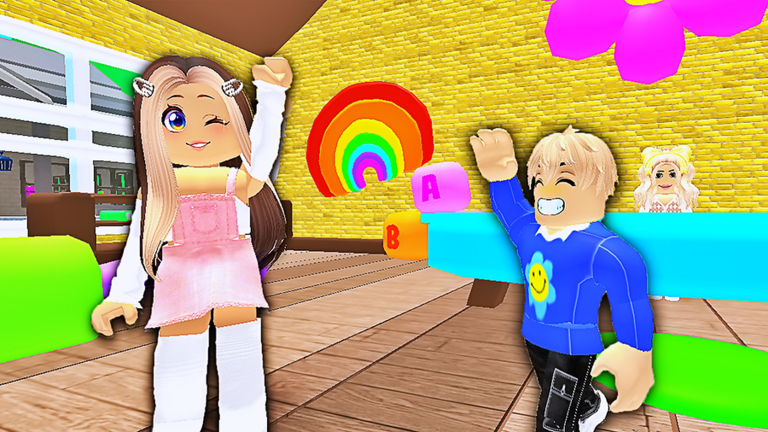
Why adoption is the heart of Adopt and Raise
Adopt and Raise (Roblox place 1245865042, universe 506112045) is a free-to-play family roleplay world by Adopt and Raise Fans, with 545M+ visits and servers up to 50 players. The current place dates to December 14, 2017, with lineage from Tremity’s 2014 Adopt and Raise a Cute Kid and later Adopt and Raise a Baby branding. This page is only for that experience—not Adopt Me! and not Raise The Biggest Family.
Adopting a baby is the emotional core of a session. The Adopted a Baby badge marks that you completed the flow; the care and roleplay loop is what keeps families online after the toast fades. If you still need Avatar Editor, family setup, or a first plot, finish Getting Started first, then return here.
Before you adopt — checklist
Rushing adoption with no home and no household rules creates chaos. Spend a few minutes on:
- Look the part — Parent, co-parent, or helper silhouette from the Avatar Editor so invites make sense.
- Family decision — Join an existing family or create one and invite friends. Lone parents can adopt, but shared care is smoother in busy 50-player servers.
- A door you control — Buy a starter house or apartment when you can. The Bought a House badge and a private room give you a safe care stage. Details live in Houses and Cars.
- Map awareness — Know town rows, the gear store, car roads, and the summer beach expansion so you are not lost mid-bottle scene.
Promo codes will not shortcut this. Codes currently list no active promo codes as of late 2026. Earn cash in-game; skip shady tools called out on the Scripts Hub.
How to adopt a baby step by step
Exact UI labels can shift after patches, but the player loop stays consistent:
- Confirm you are in a family (or ready to host one) and that chat is readable.
- Open the adoption / baby flow the game presents after family setup—or ask a household host if babies are already claimed.
- Choose a baby look that fits the story you want today. Treat the pick as a role commitment for the session.
- Confirm the adoption. Watch for the Adopted a Baby badge toast and any inventory or family confirmation.
- Move the baby into your home or a quiet outdoor spot before launching a loud beach parade.
If another player is already RPing as a baby who wants adoption, negotiate in chat first. Consent and clear roles matter more than snatching the first empty crib—see Roleplay Tips and Players.
The care and roleplay loop
Baby care is intentionally slow. Feeding, holding, playing, and resting actions take time; daily-style progress is normal, not a failure state. There is no hard “you failed parenting” fail condition when you keep showing up with basic care.
Practical loop for a short session:
- Check needs — Hunger, comfort, and attention cues before you invent a plot twist.
- Respond once — One feed or play beat, then pause so the baby player (or AI care timing) can react.
- Move together — Stroller, car, or walking to the beach when everyone is ready.
- Reset at home — Nap or quiet time in a decorated room so the next beat has a stage.
Pets can join as companions without replacing the baby. Collecting and trading tips belong in the Pets Guide. Luxury flex rankings for homes sit on the Houses & Pets Tier page—care quality beats S-tier foyer spam.
Mid-guide video
Prefer watching a crowded adoption session while you wait for a server? Use the embedded video on this page (adopting so many kids), then pause and mirror the etiquette beats in your own house. One verified video is enough; come back to the text for badge and safety notes.
Parenting etiquette that keeps servers kind
Adopt and Raise thrives when households feel safe:
- Ask before dramatic plots (lost baby, divorce arc, surprise move).
- Knock or chat before entering someone else’s purchased plot.
- Keep gear-store comedy props away from crib scenes unless everyone agreed to slapstick.
- Share driving duties—do not leave a baby stranded while you joyride the speedboat alone.
- Use clear OOC notes if chat filters make IC lines ambiguous.
Role recipes and hangout ideas (house tours, beach days, soft conflict) are expanded in Roleplay Tips. Controls and UI habits sit under Controls & Tips.
What not to do (scripts and scams)
Do not install executors, “auto care” bots, or money dump scripts to fake the adoption badge or skip the loop. Those tools risk account action, break immersion for other players, and are unnecessary for free-to-play progress. Read the safety framing on Scripts and decline anyone selling “instant Adopted a Baby.”
Also avoid:
- Trading personal info for “rare baby” promises.
- Spending Robux on impulse outfits before you own a home and understand care pacing.
- Confusing this title with Adopt Me! guides or Raise The Biggest Family mechanics.
Patch notes that change shops or beach props appear on Updates. Official context and links live on /wiki/.
After the badge — second-session goals
Once Adopted a Baby pops, set three gentle goals:
- One full care loop at home without leaving the baby alone in traffic.
- One car or beach outing with the household, using the summer beach and speedboat when available.
- One decorating pass so the nursery or living room supports future RP—see Houses and Cars.
Optional fourth goal: add a pet companion and decide whether it is NPC flex or a player RPing a pet role.
Sibling guides
- Getting Started — Avatar Editor, family choice, first house
- Houses and Cars — apartments, decorating, cars, beach travel
- Pets Guide — collect and trade companions
- Roleplay Tips — etiquette and hangout recipes
- Guides Hub — full index
Adoption is not a race. Join or create a family, claim a quiet room, complete the adoption flow for the badge, then care at a human pace. That is how Adopt and Raise stays a neighborhood instead of a badge farm.
Frequently Asked Questions
Quick answers to the most common questions.
How do I earn the Adopted a Baby badge?
Complete the in-game adoption flow after you have a family setup. The badge toast confirms success; keep caring afterward instead of logging off immediately.
Do I need a house before I adopt?
You can adopt without luxury, but a starter house or apartment makes care scenes safer and pairs well with the Bought a House badge from Getting Started and Houses and Cars.
Is baby care on a timer that can fail the run?
Care is a slow loop—feed, hold, play, rest—and steady daily-style progress is normal. There is no hard fail state for taking your time.
Can scripts give me the adoption badge faster?
Do not use executors or auto-care scripts. They risk bans and ruin other players’ RP. Progress is free-to-play without them.
Is this the same as Adopt Me! adoption?
No. These steps are only for Adopt and Raise (place 1245865042). Adopt Me! and Raise The Biggest Family are separate games.