Adopt and Raise a Baby Controls & Tips
PC/mobile inputs, UI habits, earning tips, and a day-one checklist.
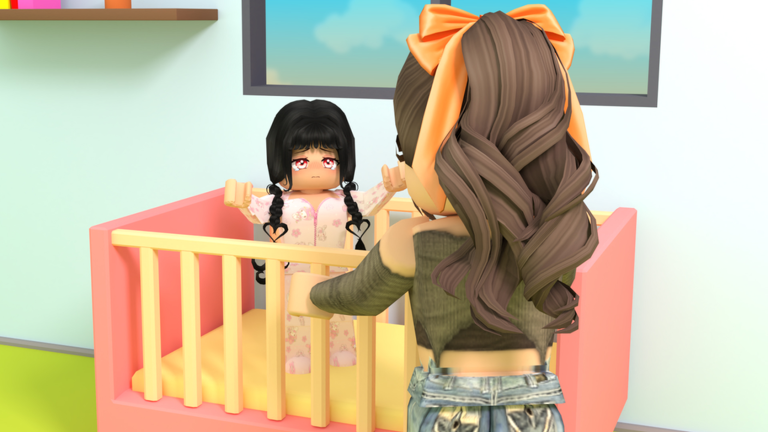
Start here before you panic in chat
Adopt and Raise (place 1245865042, universe 506112045, Adopt and Raise Fans, free-to-play, ~50 players per server) rewards calm movement and clear roles more than twitch aim. This Controls & Tips Hub covers PC and mobile inputs, UI habits, honest money-earning loops, and a first-session checklist. Pair it with Getting Started for the full onboarding story, Players for Parent/Teen/Baby/Pet roles, and How to Adopt once you are ready to parent. For looks and comedy props, open Avatar Editor and Gear Store; for shore days, open Beach and Speedboat.
This is not a script menu. Risky executors belong—if anywhere—on the cautionary Scripts Hub. Promo codes are currently dry; see Codes.
PC controls (typical Roblox + in-experience UI)
Exact keybinds can shift with Roblox client settings, but the habits stay stable:
- WASD — move around town, house interiors, beach paths.
- Space — jump; useful for uneven beach props and porch steps.
- Shift (if enabled) — sprint when you need to catch a family carpool.
- Mouse — look, click shop prompts, Avatar Editor options, gear purchases.
- E / proximity prompts — enter houses, seats, boats, or interaction spots when a prompt appears.
- Esc / Roblox menu — leave, screenshot, or adjust settings without abandoning the plot mid-sentence.
If a prompt refuses to appear, walk closer, reset character once, or rejoin. Do not install a “prompt unlock” tool.
Mobile controls
On touch devices:
- Use the thumbstick for movement and the jump button for vertical gaps.
- Tap highlighted prompts carefully—fat-finger buys in the gear store happen.
- Rotate the camera with a drag gesture before entering tight hallways so baby hitboxes do not wedge in doors.
- Consider a shorter session plan: mobile battery and heat make long luxury decorating marathons harder than a focused adopt + beach outing.
If UI scale feels tiny, adjust Roblox accessibility or device settings before blaming the experience.
UI tips that save sessions
- Avatar Editor first — pick a silhouette that matches today’s role so others read you correctly (Players Hub).
- Find the money and inventory readouts early so house and pet purchases do not surprise you.
- Open maps / landmarks mentally — town plots, gear store, car spawns, summer beach, speedboat access.
- Treat announcement GUIs seriously after patches (including the October 2026 update window noted on Updates).
- Mute or soft-block chaos when a server turns into spam; another server is one teleport away.
- Keep this wiki’s locale-agnostic links bookmarked with trailing slashes so you land on the right hub every time.
Money-earning tips (legitimate only)
Adopt and Raise progression is play and purchase, not raid DPS. Sensible cash habits:
- Complete onboarding purchases that unlock Bought a House without overspending on day-one luxury (Houses & Pets Tier).
- Adopt and care consistently for long-term fun—and the Adopted a Baby badge—rather than dumping wallet into novelty gear (How to Adopt).
- Collect and trade pets thoughtfully (Pets Guide) instead of impulse-buying every common.
- Use cars and the beach/speedboat loop as free entertainment that does not require a full catalog clear.
- Ignore “infinite money” ads; they conflict with Roblox rules and often steal accounts (Scripts).
- Remember: no active codes late 2026 (Codes).
Robux spending is optional. Free-to-play families thrive with starter homes, clear RP, and patience.
First-session checklist
Use this as a printable mental list—detail lives in Getting Started:
- Launch from the official Roblox URL, not a random sponsored clone.
- Finish the Avatar Editor pass for your role.
- Say hello in chat with the role you want (Parent / Teen / Baby / Pet).
- Buy a starter house → chase Bought a House.
- Learn where cars, gear store, and beach/speedboat sit.
- Attempt an adoption when ready → Adopted a Baby.
- Bookmark Roleplay Tips before hosting a crowded scene.
- Skim Updates if the description mentions a fresh patch.
- Stop if someone demands an executor “to unlock the real game.”
Badges & Milestones tracker
When you want a single checklist for Joined, Bought a House, and Adopted a Baby—plus what to do after each toast—open Badges & Milestones. That page sits beside this Controls hub: use Controls for inputs and UI habits, then Badges for progression targets. Cross-link it from Getting Started after your first house purchase, and from How to Adopt when the baby toast fires. Avatar polish and gear comedy that support badge screenshots live in Avatar Editor and Gear Store; celebration beach outings after a badge unlock belong in Beach and Speedboat.
Keep the badges page bookmarked with a trailing slash so locale switches still land on the tools tree. Do not confuse badge progress with promo codes—Codes stay empty as of late 2026 even when you earn every milestone.
Comfort and etiquette while learning controls
New players move awkwardly. Announce AFK, ask before entering private house RP, and forgive clumsy boat steering. Parents should slow scenes when a baby is still learning jump timing. Teens can offer rides instead of mocking mobile users. Pets (player or collectible) should not body-block doorways.
Related hubs
- Badges & Milestones — Joined, Bought a House, Adopted a Baby checklist
- Getting Started — full first-hour walkthrough
- Avatar Editor and Gear Store — looks and comedy props
- Beach and Speedboat — shore routes and boat outings
- Guides Hub — houses, pets, adopt, RP index
- Players Hub — role definitions and finding families
- Updates Hub — when UI or beach systems change
- Official Links — game and Fans group pointers
Master movement, then master hospitality. Controls are only the door into a kinder family neighborhood.
Frequently Asked Questions
Quick answers to the most common questions.
Where do I learn the full beginner path beyond controls?
Follow Getting Started for the first-hour checklist, Badges & Milestones for progression targets, then How to Adopt and Roleplay Tips for parenting and etiquette.
Are PC and mobile controls the same?
Movement goals match, but mobile uses a thumbstick and tap prompts. Take extra care with shop taps and camera angles in tight houses.
How do I earn money without codes or scripts?
Play normally: buy a sensible house, adopt and care, trade pets carefully, and enjoy beach/car loops. There are no active promo codes as of late 2026.
What should I do in my first session?
Edit your avatar, state a role, buy a starter house for Bought a House, learn beach and car routes, then adopt when ready.
Is this hub a list of exploit tools?
No. It covers legitimate controls and tips only. Third-party executors are unsafe and against Roblox rules.
Where do I track Joined, Bought a House, and Adopted a Baby?
Use the Badges & Milestones page under Tools. Pair it with Getting Started for the first house and How to Adopt for the baby badge.